

Need runtime environment variables in a Dockerized React SPA? A practical approach using NGINX that avoids rebuilding your container per environment.
The React single-page application I’ve been working on for the past year has slowly evolved and changed. We’ve been building up the tech stack and requirements as we go, as well as the build/deploy process. The tech stack ended up being pretty straightforward: a Docker container within Docker Enterprise Edition that lives within Docker UCP, running NGINX as the server for the front end. But the build/deploy process ended up being the difficult part. While in the midst of building, we realized that one of the requirements for deploying was to have certain URLs/keys/secrets be pulled from Docker UCP and dynamically defined without having to rebuild the entire single-page app. So not exactly at runtime, but not at build time either, which is generally how the build system we were using intended (see Create React App environment variables). We considered adding a Node back end to read the variables in and write them to the page, but this felt overly complex since it would only be used to generate variables. Ultimately, we came up with a solution that doesn’t use a back-end and still lets us create dynamic environment variables. Here it is in four complex simple steps:
1. Create a shell file
We’ll start by outputting some comments of what we’re doing to the terminal: Then execute the specified Python file and take the output from the script and put it into env.js: And finally, remove the files altogether, silently without prompting for confirmation:
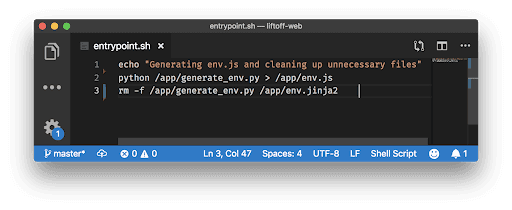
2. Create the Python file
Add your necessary imports at the top: Then create a method for retrieving secrets from Docker (if you have secrets in Docker that you need to access). It is important to note that since we are using Docker Enterprise Edition, this method will need to be adapted to your Docker provider: In the next part we’ll use the method we just created above, in addition to pulling from the Docker environment variables, to make a key/value pair object that when output looks similar to the following: Notice that for the environment retrieval it is using the .get() method. This is used so that if the variable is not found, the code will not error out but simply fill that value with an empty string: Now we need to retrieve the location of the template file that we’ll be using to ultimately output our env.js file and pass through the object we just created. We used Jinja2 for this project, which is just a templating language for Python: Lastly, we need to actually run the main method that we built above. We’ll add a conditional to check that this code is the main program and not being imported from another module:
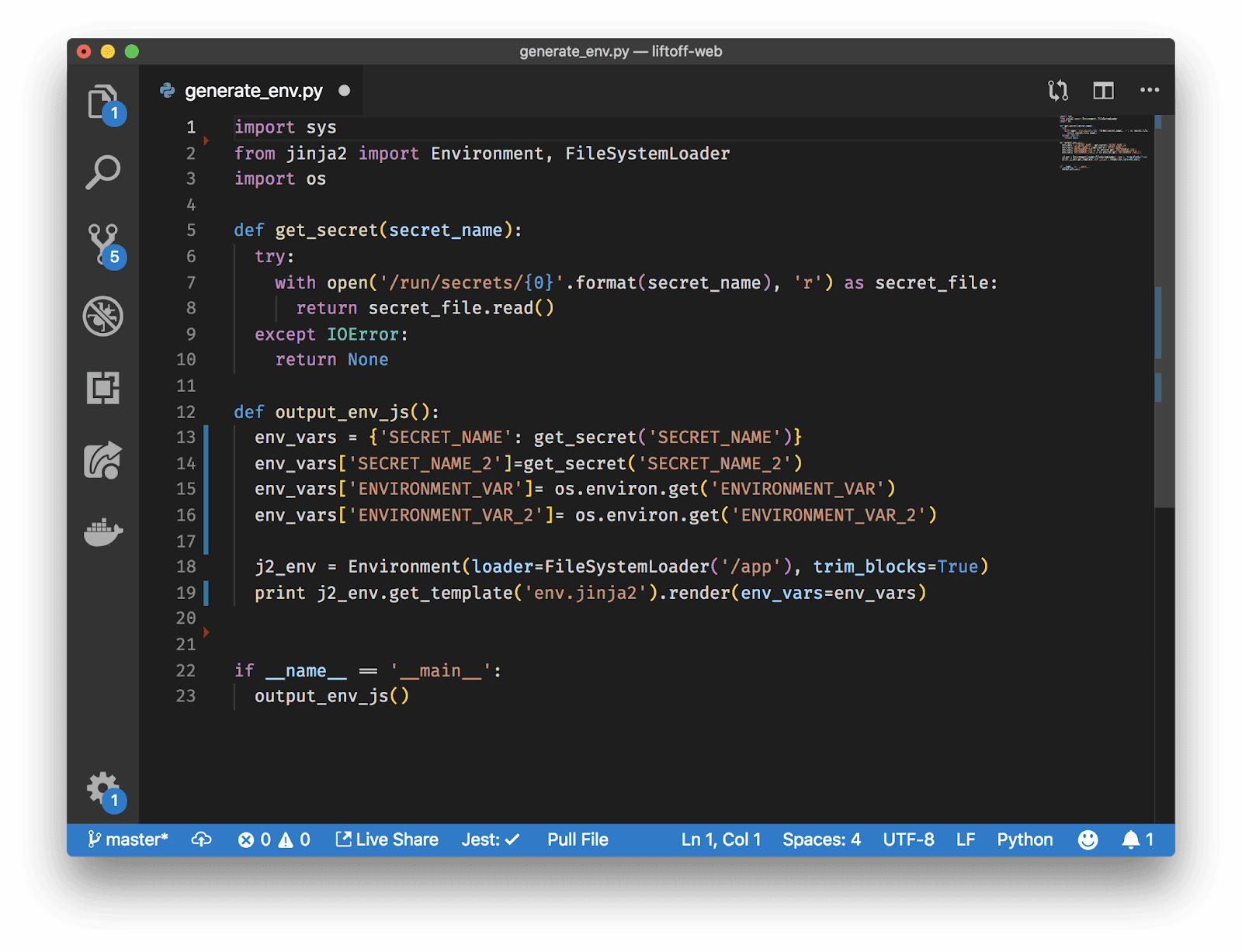
3. Create the template file
Finally, we create the template file with the variable object we created in our last step. This will be the file that becomes the env.js file. We start by initiating an empty object: Then loop over the variable object items and add them to our javascript object:
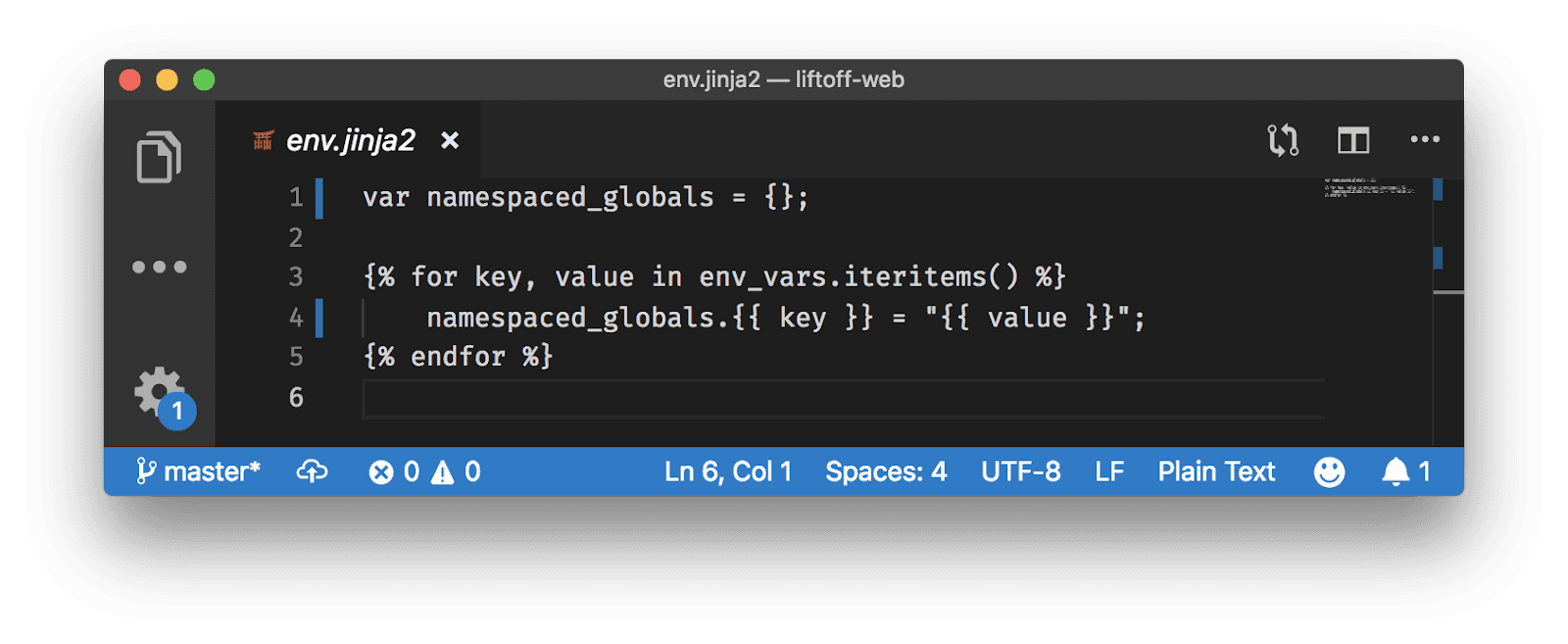
4. Update your Docker compose file
Add the server you want to use: Then set your working directory and copy your single page app files to that working directory: Next, create your run statement to include the technologies we’ll be using, in our case, bash, NGINX, Python and Jinja: Now we need to copy over the files we created previously (as well as a server config file), and move them to either our working directory, or the root: And finally we’ll expose our port and run the shell file that triggers the scripts:
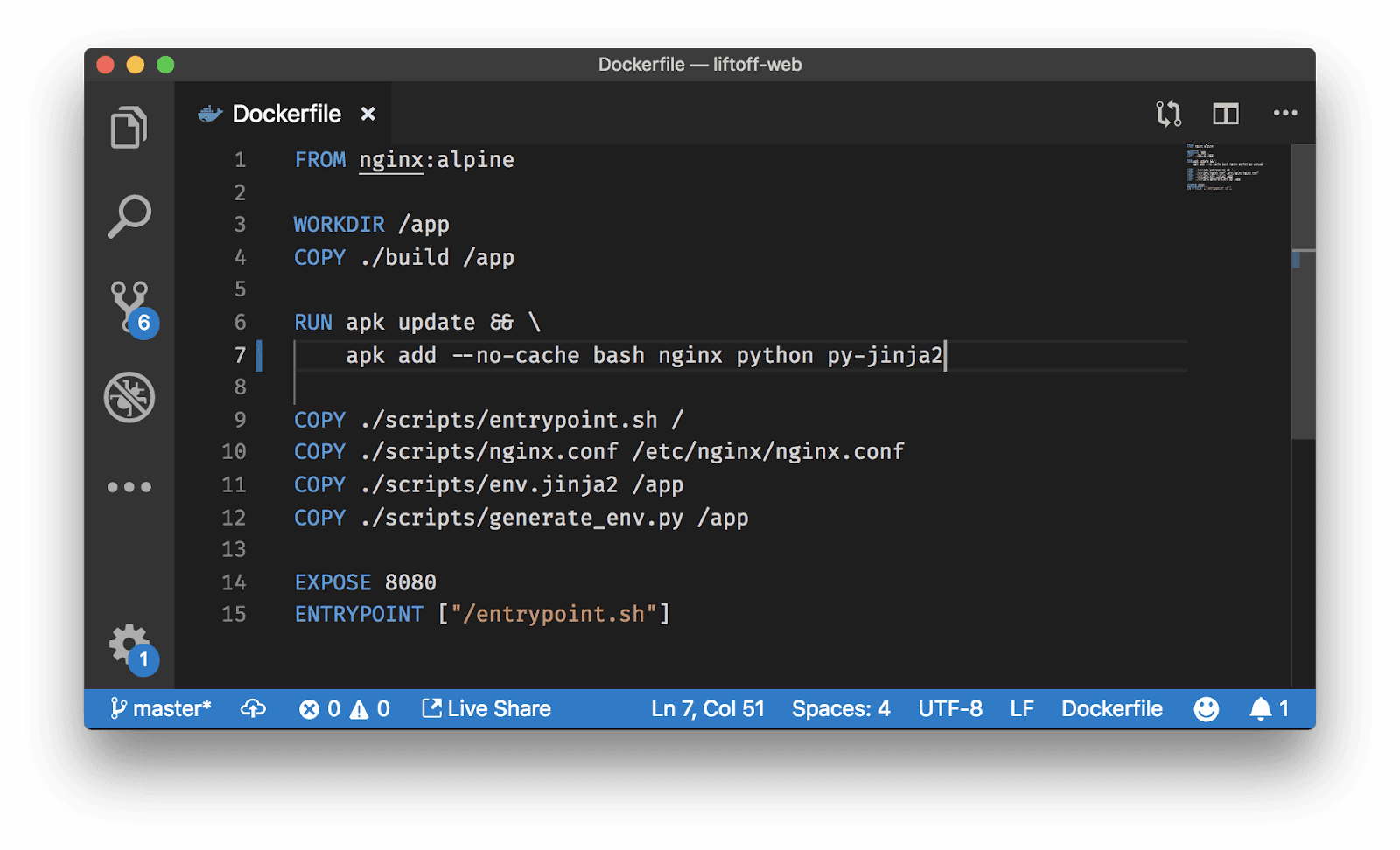
And that’s it! You should now have dynamic environment variables that get rebuilt every time you restart your Docker container!